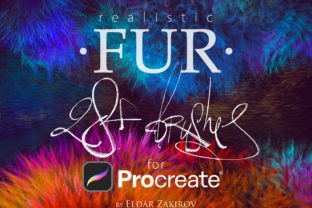
Realistic FUR Brushes for Procreate


Über Realistic FUR Brushes for Procreate Grafik

229X Zu den Favoriten hinzugefügt


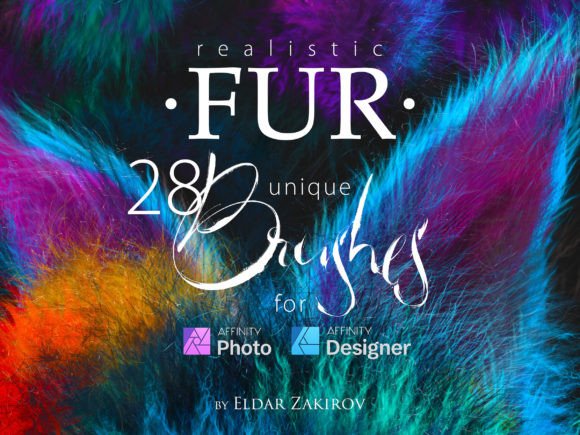
28 Realistic FUR Brushes for Procreate 5 (version 5 and above)
Realistic FUR is the realistic brush set for painting animals or furries, original characters with fur, and other painted wooly and fluffy creatures.
Twenty brushes remastered from the first ‘FUR’ brush set + 8 new brushes. The brushes depicting fur from the side view (brushes # 2, 3, and 8) have two options for each one: the left and right hair growth direction. Therefore, there are actually three more brushes in the set — 31.
You receive in the ZIP archive (40.7 Mb):
1. FUR_by_EldarZakirov.brushset— the file containing the FUR brushes for Procreate;
2. Realistic FUR for Procreate — some tips and notes.pdf — the PDF file containing some tips you see below just to have them on hand;
• Please note: there are versions of this brush set for several software products: Photoshop, Clip Studio Paint, Procreate, Affinity Photo / Designer. You’re looking through the PROCREATE version page. Please be sure that you’re buying the right one. I don’t accept returns, exchanges, or cancellations. But please contact me if you have any problems with your order.
• This product can be used in an unlimited number of personal and commercial works.
• Cannot be resold, shared, or provided to third persons entirely and partially.
Some useful tips and notes:
• Start coloring with a neutral, halftone local color, then shade it according to the volume and lighting, then add layers of the fur with colors a bit lighter than the underlying shading.
• Try at first to place basic shading with a less detailed brush, hard or soft, and then put the fur strands above, according to the form and lighting.
• Make some areas deeper (darker) — shaded areas among strands near their roots — or set some light and highlight accents.
• Play also with layer and brush blending modes, such as Soft Light, Screen, Multiply, etc.
• Go from common to partial shapes: firstly specify the main volumes, lights, and shadows, then go to detailing.
• In the end, I’d add some of the sharpest strands or hairs, maybe blur or darken some of the underlying strands, and light up some of most visible and highlighted. Try to make some of them softer of sharper, darker, or lighter in the finish or work, kind of post-processing. Add some highlights, specular.
• As said before, brushes # 2,3, and 8 have two options for each one, for left and right hair growth direction.
Teile dein mit diesem Produkt erstelltes Projekt!
Hast du etwas mit diesem Produkt gemacht? Teile ein Foto von deinem Projekt, damit andere sich von deiner Kreation inspirieren lassen können! Dein Post wird für andere auf dieser Seite und in deinem eigenen sozialen Feed sichtbar sein.
Bewertungen

Thank you !

They are wonderful! Thank you! ♥

Nataliia, thank you!! :)

You can totally not go wrong with this super great Brush Set, or this fabulous designers amazing work!
Thank you, Jesse, I'm really glad to hear this!
Abonniere jetzt, um diesen und viele andere Artikel herunterzuladen.
Erhalte diese Grafik kostenlos
Diese Grafik ist inbegriffen
Unbegrenzter Zugriff auf 12,698,837 Grafiken
Täglich werden neue Grafiken hinzugefügt
Erhalte 10 Downloads zu 100 % KOSTENLOS
Jederzeit kündbar
-
Inklusive gewerblicher Lizenz
Bei jedem Download und Kauf ist unsere gewerbliche Lizenz inbegriffen. Erfahre mehr über unsere Lizenz. -
Technischer Support
Hast du Schwierigkeiten? Wir sind da, um dir den fachkundigen technischen Support zu bieten, der all deinen Bedürfnissen entspricht. -
Unbegrenzte Downloads
Deine Einkäufe sind immer online verfügbar und können unbegrenzt oft heruntergeladen werden.
Lade 12,698,837 Grafiken herunter
Mehr von diesem Designer